Cleaning My MacBook Keyboard: How Hard Can It Be?
Have you ever looked at your MacBook Pro only to be shocked at how efficient it seems at collecting dust, grime, and other unidentified material that might require a biohazard facility? If you relate, you aren't alone. MacBooks collect dust with the same eagerness a bee collects nectar. So, how hard can it be to deep clean a MacBook keyboard? Well, I found out the hard way.
As I was preparing to leave my flat earlier today, I glanced at my MacBook keyboard and realized it looked, well, let's call it less than optimal. So, I do what anyone would do in such a situation and grab my trusted laptop cleaner bottle of magic liquid and a cleaning cloth. In my mind, I estimated the entire process would take like 30 seconds, and boy was I wrong!
Here is the problem, how do you deep clean your keyboard without creating a symphony that can only be generated by a cat walking across your keyboard? If you are an avid keyboard user, this is a nightmare, since your fine-tuned key combinations and shortcuts might trigger randomly as you move the cleaning cloth across the keyboard. The simple truth is that cleaning the built-in keyboard is extremely hard if you can't disable it. That sounds simple enough, right?
Naturally, I started digging through the settings, looking for a toggle that allows me to disable the built-in keyboard. I am sure Apple, a company known for mostly well-thought-out UX design and one that cares deeply about the smallest details, must have a toggle somewhere in the Keyboard settings that would allow us to disable the built-in keyboard, wouldn't they? Well, we would all be forgiven for thinking that because in this case, not only doesn't Apple provide a native way of doing this, they even rejected an app that provides the exact needed functionality, citing "it's not useful" as their justification.

So, what do you do when you want to clean your keyboards? After some googling and digging through Apple Support forums, blog posts and a few Reddit posts, I found a fantastic app that simply works. Allow me to share it with you in the hope it would save you a few minutes now and then, and help you keep your keyboard sparkling clean.
Enter KeyboardCleanTool
The wonderful Andreas Hegenberg (CEO of Folivora[^Folivora Homepage: https://folivora.ai/]) who built the awesome BetterTouchTool and BetterSnapTool[^ BetterSnapTool: https://folivora.ai/bettersnaptool] also created a small utility app to solve the struggle of cleaning MacBook keyboards, aptly named KeyboardCleanTool[^ KeyboardCleanTool: https://folivora.ai/keyboardcleantool].
The tool simply blocks all keyboard and Touch Bar input once you click the Start button, and only restores keyboard input when you click the stop button. Simple, efficient, and works as expected.
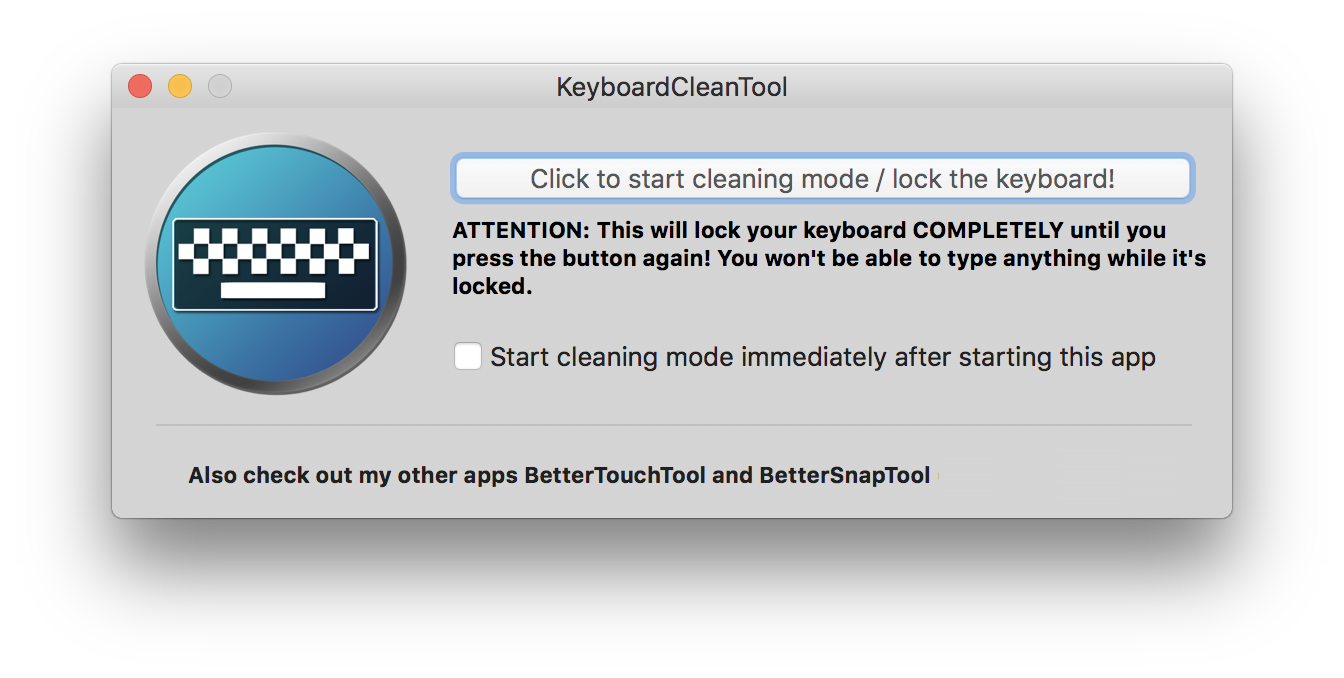
I downloaded the compressed application[^You can download the compressed app here: https://folivora.ai/releases/KeyboardCleanTool.zip], extracted it, moved it to my Applications folder, fired it up, sorted out an Accessibility permission prompt and boom, I was all set to aggressively and thoroughly clean my keyboard. I am as excited as someone getting a new vacuum cleaner that has plenty of whistles and bells (oh, the things that excite us as we grow older).
Thanks to KeyboardCleanTool, my keyboard looks spotless, and it all took less than a minute. If you relate to this story and find KeyboardCleanTool useful, don't forget to show the author some appreciation for creating such a useful tool, their other tools are just as awesome.